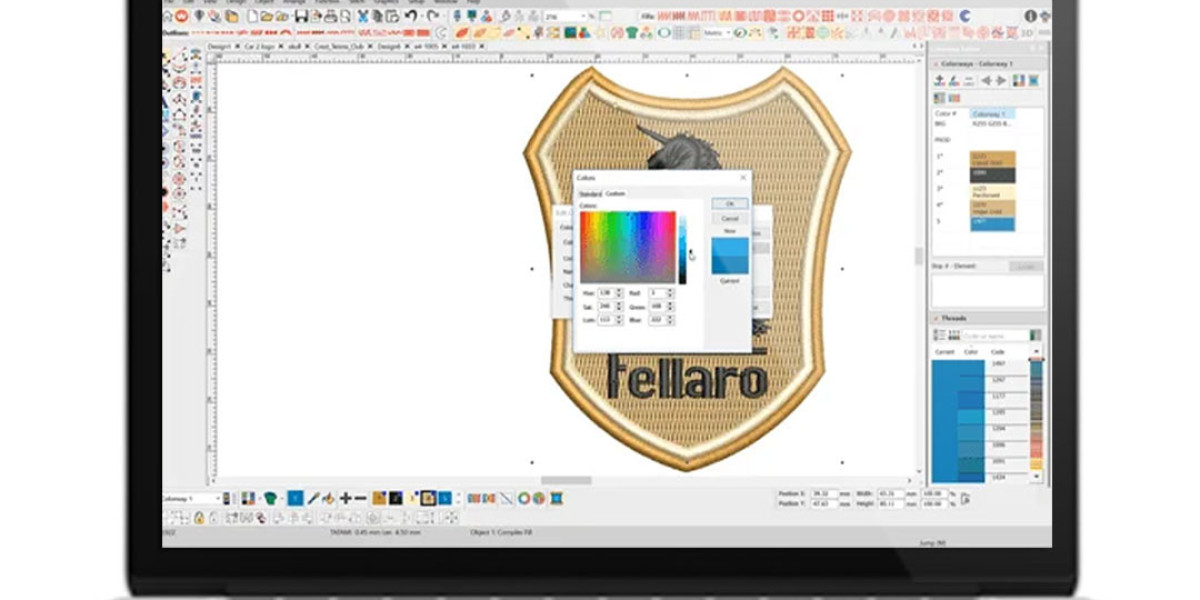

In the world of embroidery, precision is everything. Whether you are personalizing shirts, creating custom patches, or stitching logos for corporate apparel, the quality of your final product depends largely on the type of embroidery files you use. Two of the most commonly used file formats in embroidery are DST files for embroidery and PES files for embroidery.
These files are not just digital versions of your designs—they contain the exact instructions your embroidery machine needs to bring your artwork to life. A well-prepared file ensures smooth stitching, vibrant colors, and professional results.
In this guide, we’ll break down what DST and PES files are, their differences, how to use them effectively, and tips for achieving flawless embroidery every time.
What is a DST File for Embroidery?
A DST file for embroidery is a machine-readable format widely used in commercial embroidery machines. It contains detailed stitch information, including:
Stitch placement and sequence
Stitch types and lengths
Color changes
Jump stitches (when the needle moves without stitching)
Unlike image files, DST files do not store visual data—they focus on technical stitching instructions. This allows machines to reproduce designs accurately, regardless of size or fabric type.
Benefits of DST files:
High compatibility with industrial embroidery machines
Accurate replication of complex designs
Reduced thread breaks and errors
Optimized for multi-color designs
DST files are ideal for large-scale embroidery projects such as corporate uniforms, caps, jackets, and custom patches.
What is a PES File for Embroidery?
The PES file for embroidery is another popular embroidery format, commonly used with home or commercial embroidery machines, especially Brother and Babylock models. PES files contain stitch data similar to DST files but may include additional features such as color information or design previews.
Key features of PES files:
Stores stitch data, color stops, and thread instructions
Compatible with home embroidery machines
Allows previews of design before stitching
Supports complex patterns with multiple colors
PES files are perfect for hobbyists, small businesses, and designers who want to create high-quality embroidery on smaller machines.
DST vs PES: Understanding the Difference
While both DST and PES files serve the same purpose—turning artwork into embroidery—they differ in compatibility, features, and usage:
| Feature | DST File | PES File |
|---|---|---|
| Compatibility | Industrial/commercial machines | Home and some commercial machines |
| Color Information | Only basic stitch sequence | Can include color info and previews |
| Complexity | Ideal for multi-color logos and patches | Best for smaller designs and home projects |
| File Size | Usually smaller | Can be larger due to preview data |
Understanding these differences ensures that you choose the right file type for your machine and project. Using the wrong format can lead to stitching errors, design distortion, or unnecessary trial and error.
Why Professional Digitizing Matters
Simply having a design is not enough. To produce flawless embroidery, your artwork needs to be converted into precise machine instructions. This is where professional Embroidery digitizing services come into play.
Benefits of professional digitizing:
Optimized stitch paths for smooth embroidery
Correct stitch types and density for each fabric
Minimizes thread breaks and puckering
Ensures accurate size and placement of the design
Whether you need a DST file for embroidery or a PES file for embroidery, professional digitizing ensures your design is machine-ready, saving time, reducing waste, and delivering premium results.
Common Issues and How to Avoid Them
Even with the right file format, embroidery projects can encounter issues. Here’s how to prevent them:
1. Thread Breaking
Thread breaking is one of the most common problems during stitching. It can be caused by:
Poor-quality threads
Incorrect tension
Sharp needles or damaged machine parts
Overly dense stitching
Solution: Use high-quality threads, adjust tension correctly, and rely on expert digitizing to prevent overly dense stitching.
2. Puckering
Puckering occurs when fabric gathers around the stitches. Causes include:
Excessive stitch density
Inappropriate stabilizer
Fabric type not considered in digitizing
Solution: Use the right stabilizer and ensure stitch density is optimized for the fabric.
3. Design Distortion
When designs are not properly digitized, they may shrink, stretch, or lose detail.
Solution: Always work with professional digitizers who test the design before final production.
Tips for Choosing the Right File Format
Know Your Machine: Industrial machines favor DST files, while home machines often use PES files.
Check Design Complexity: For multi-color, large-scale logos, DST is ideal. PES works well for smaller, less complex designs.
Use Professional Digitizing Services: Skilled digitizers can convert designs into any required format while maintaining quality.
Test Before Production: Always run a test stitch to check for thread breaks, density issues, or distortions.
Practical Applications
Both DST and PES files are used across various embroidery applications:
Corporate Branding: Logos on shirts, hats, and uniforms
Fashion & Apparel: Jackets, hoodies, and designer wear
Custom Patches: For clubs, organizations, or brands
Personal Gifts: Embroidered names, quotes, or artwork on accessories
Choosing the correct file type ensures that your designs are stitched accurately, no matter the project scale.
Conclusion
Embroidery is both an art and a science. The quality of your finished product depends on the file format, digitizing precision, and attention to detail. Using a DST file for embroidery guarantees compatibility with commercial machines and ensures high-volume projects run smoothly, while a PES file for embroidery is perfect for home machines and smaller projects.
Investing in professional digitizing services allows your designs to be translated into machine-ready files with accuracy, reducing errors, thread breaks, and time wasted on trial runs. Whether for business or personal projects, understanding and using the right embroidery files ensures your designs come to life exactly as you envisioned.
With the right approach, your embroidery can achieve flawless results every time—bold, vibrant, and professionally finished.