
Introduction
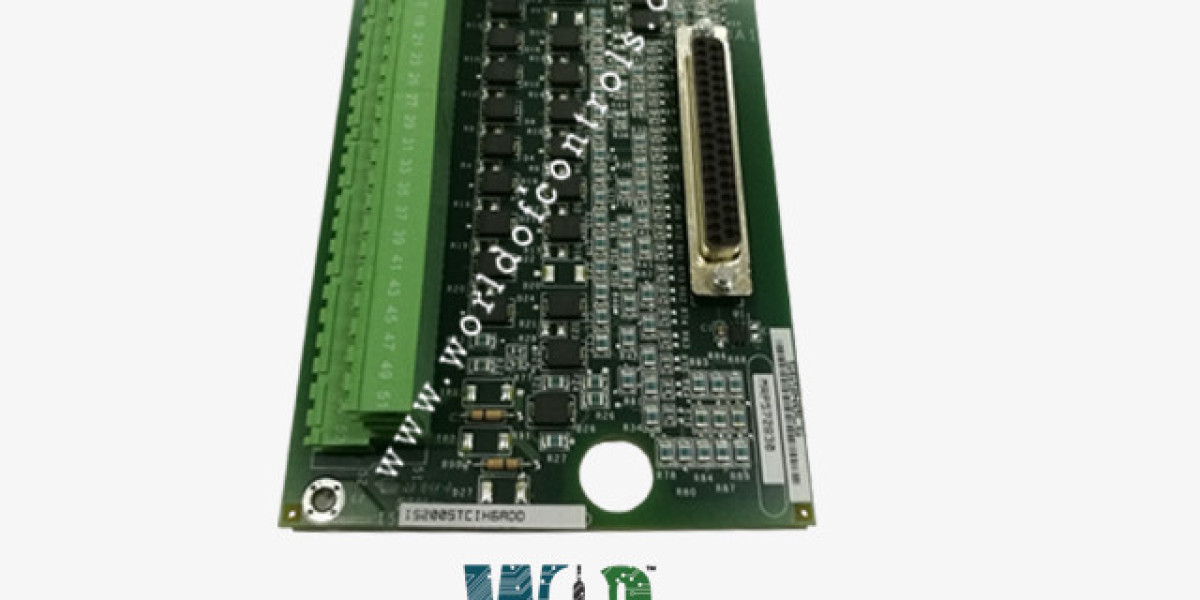
In turbine control systems, accurate signal monitoring is essential for operational safety, reliability, and performance. Simplex contact input terminal boards are key components that gather discrete field signals—such as limit switches, pressure switches, relay outputs, and breaker statuses—and transmit them to the main control processor. These boards are commonly used in systems built around the GE Mark VI platform, widely deployed in gas and steam turbine applications across the power generation industry.
Because these boards serve as the interface between field devices and the control logic, any malfunction can affect turbine startup, shutdown, or protective functions. Effective troubleshooting is therefore critical.
Understanding Simplex Contact Input Terminal Boards
What Does “Simplex” Mean?
A simplex configuration refers to a single-channel design, meaning there is no built-in redundancy (as found in duplex or triple modular redundant systems). In many turbine applications, simplex boards are used in non-redundant sections of the control system where cost efficiency and straightforward architecture are priorities.
These terminal boards receive discrete (on/off) signals from field devices and route them to the turbine control processor. The board ensures proper signal conditioning, isolation, and organized termination of field wiring within the control cabinet.
Importance in Turbine Operations
In gas and steam turbines, discrete inputs provide critical feedback, including:
Auxiliary system readiness
Valve open/close status
Protective relay outputs
Emergency stop confirmations
Pump and fan operation status
If the contact input board fails, the control system may not detect essential conditions, potentially leading to false alarms, startup delays, or even unsafe operating situations.
Common Issues in Simplex Contact Input Terminal Boards
1. Missing or Inactive Input Channels
A frequent problem is when one or more input signals fail to register in the control system. Possible causes include:
Loose or broken field wiring
Blown fuses
Faulty terminal connections
Internal board damage
Before assuming board failure, technicians should verify that voltage is present at the input terminals.
2. Intermittent or False Signals
Intermittent alarms or unexpected status changes can occur due to:
Electrical noise
Improper grounding
Corroded terminals
Worn mechanical contacts in field devices
Turbine environments often involve vibration and electromagnetic interference, making proper shielding and secure terminations essential.
3. Overheating or Component Damage
Excessive voltage, incorrect wiring, or aging components can cause overheating. Signs include:
Burn marks
Discoloration
Damaged connectors
Melted insulation
In such cases, replacement is usually recommended to maintain system integrity.
4. Communication or Interface Problems
If signals are present at the terminal board but not recognized by the control processor, the issue may involve:
Ribbon cable connections
I/O module alignment
Backplane faults
Connector mis-seating
Carefully inspecting and reseating connectors can sometimes restore proper operation.
A Structured Troubleshooting Approach
Step 1: Verify Field Devices
Always begin at the source. Use a multimeter to check continuity and voltage at switches, relays, and sensors. Confirm the device itself is functioning correctly before focusing on the board.
Step 2: Inspect Wiring and Terminals
Check for:
Loose screws
Damaged conductors
Corrosion
Incorrect polarity
Ensure all connections are tightened to manufacturer-recommended torque specifications.
Step 3: Check Power and Protection Components
Confirm that the board is receiving the correct supply voltage. Inspect fuses and protective components, replacing them only with approved ratings.
Step 4: Review System Diagnostics
The control system’s diagnostic tools can help identify specific faulty input channels or communication errors. Reviewing alarm logs can significantly reduce troubleshooting time.
Step 5: Replace and Validate
If all external causes are eliminated, replace the board with a tested and compatible unit. After installation:
Reconnect wiring carefully
Perform functional input tests
Confirm proper signal display in the control interface
Thorough post-installation testing ensures stable turbine operation.
Preventive Maintenance Best Practices
To reduce unexpected failures:
Perform routine terminal inspections
Keep panels clean and dry
Verify grounding and shielding integrity
Conduct periodic functional testing of discrete inputs
Preventive maintenance is particularly important in turbine systems, where unplanned downtime can result in significant financial and operational impact.
Conclusion
GE simplex contact input terminal boards are critical components in turbine control systems, responsible for transmitting essential discrete signals to the control processor. By following a systematic troubleshooting process—starting from field devices and progressing through wiring, power checks, and diagnostics—maintenance teams can quickly identify and resolve issues. Proper care and proactive maintenance ensure reliable turbine performance and long-term operational safety.





